
SIMPLE SIMON CMS
Take a look inside.
These are screenshots of the working Simple Simon CMS we are using to build this website. The product is in development and the screens will continue to improve.
BUILT FOR EVERYDAY WEBSITE TASKS
Clear steps. Useful tools.
A website should be something you can look after with confidence.
01 / YOUR STARTING POINT
Your website tools, together.
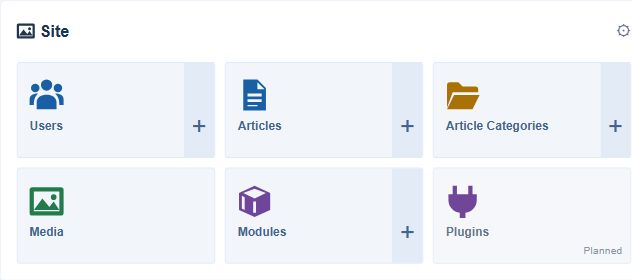
The dashboard brings together pages, articles, categories, media and modules. Open the tool that matches the task you want to complete.
02 / BUILD A PAGE
Arrange it. Edit it. Preview it.
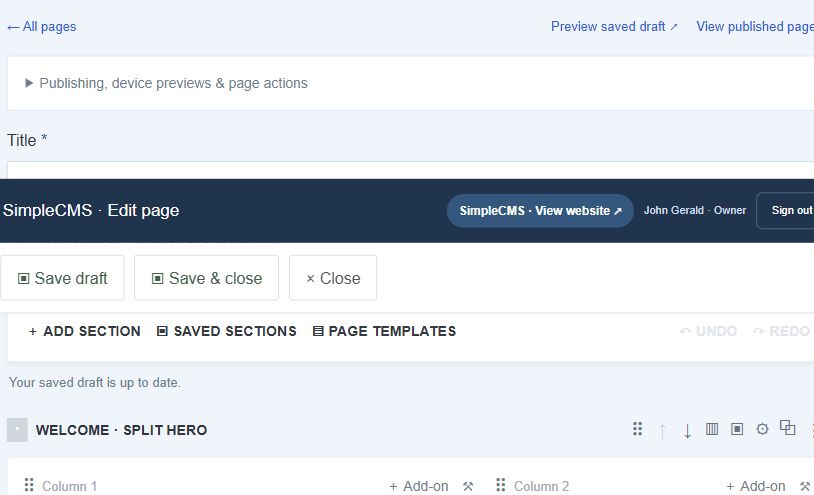
The page builder organizes content into rows and columns. Open a content block to edit its words, picture or settings.
A / START
Choose a starting point.
Create a page and choose a template, or begin with a blank page.
B / EDIT
Tell your own story.
Replace the example words and pictures with your own content.
C / CHECK
Make it public when ready.
Save, preview the page and check the mobile view before publishing.
What would you like to build?
Tell us what kind of website you have in mind. We would like to hear which everyday tasks you want to make simpler.